
Anyone in foreign trade knows this scenario all too well —
A client suddenly asks for a customs declaration from three years ago as proof. The finance team pulls up old records for an audit. Tax rebate verification requires supplementary documents. You search through every folder on your computer and can’t find it. Then you have to drag yourself to the customs office and wait in line…

According to the General Administration of Customs Announcement No. 146 of 2025, the retention period for customs declaration documents is calculated from the date of customs clearance, and falls into three tiers based on business type:
| Business Type | Retention Period |
|---|---|
| Goods under duty reduction/exemption, and non-compensation equipment for processing trade | 11 years after clearance |
| Processing trade (excluding non-compensation equipment) | 5 years after clearance |
| Other general trade declarations | 3 years after clearance |
In other words, for the most common general import/export declarations, you can search up to 3 years from the clearance date. Those in processing trade have a longer window, while duty-reduction equipment can be traced back 11 years.
Open the China International Trade “Single Window” standard edition, and navigate through: Business Applications → Port Law Enforcement Declaration → Goods Declaration → Declaration Document Inquiry & Printing
Scope: This function supports both customs declarations and inbound/outbound goods record filing forms.
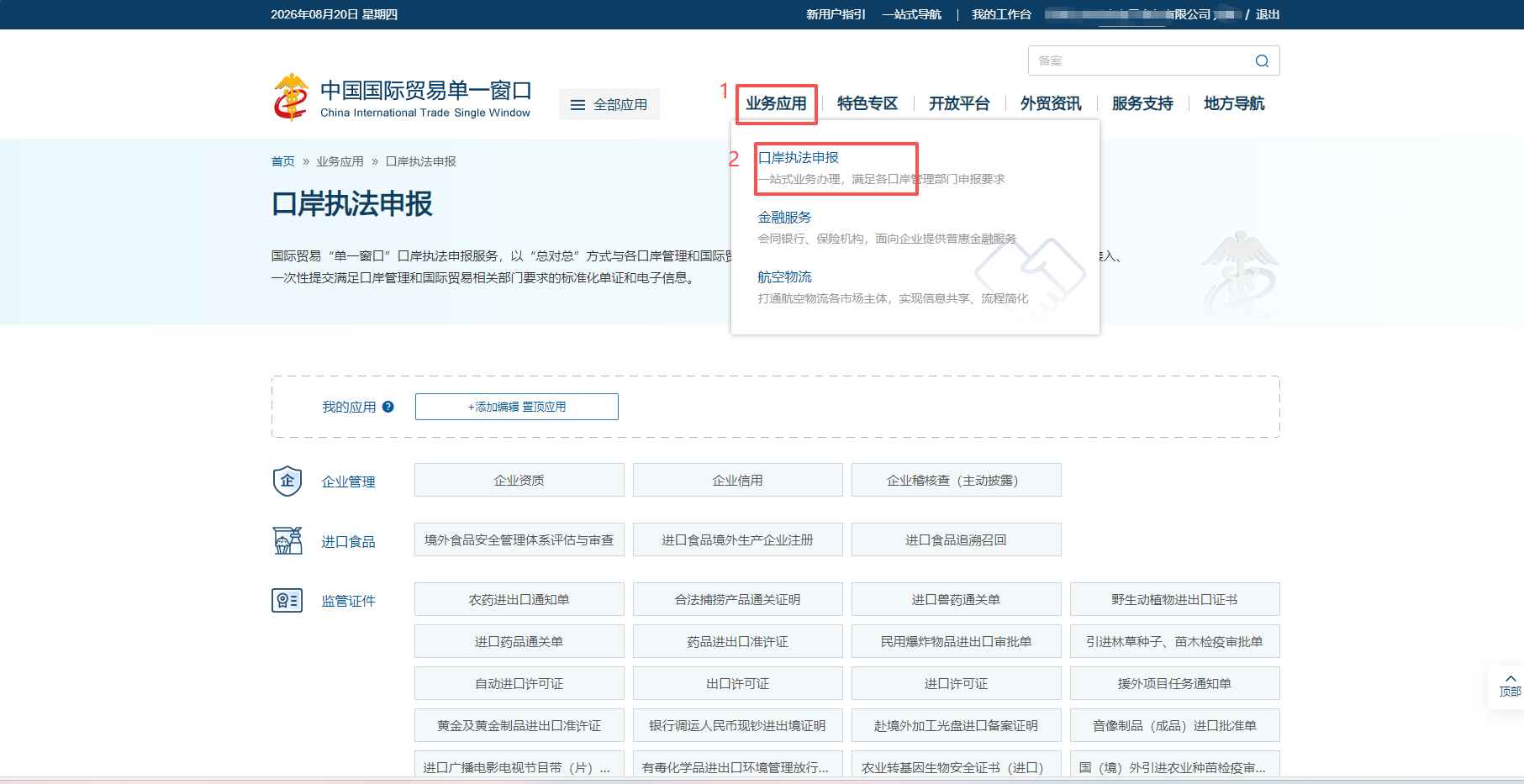
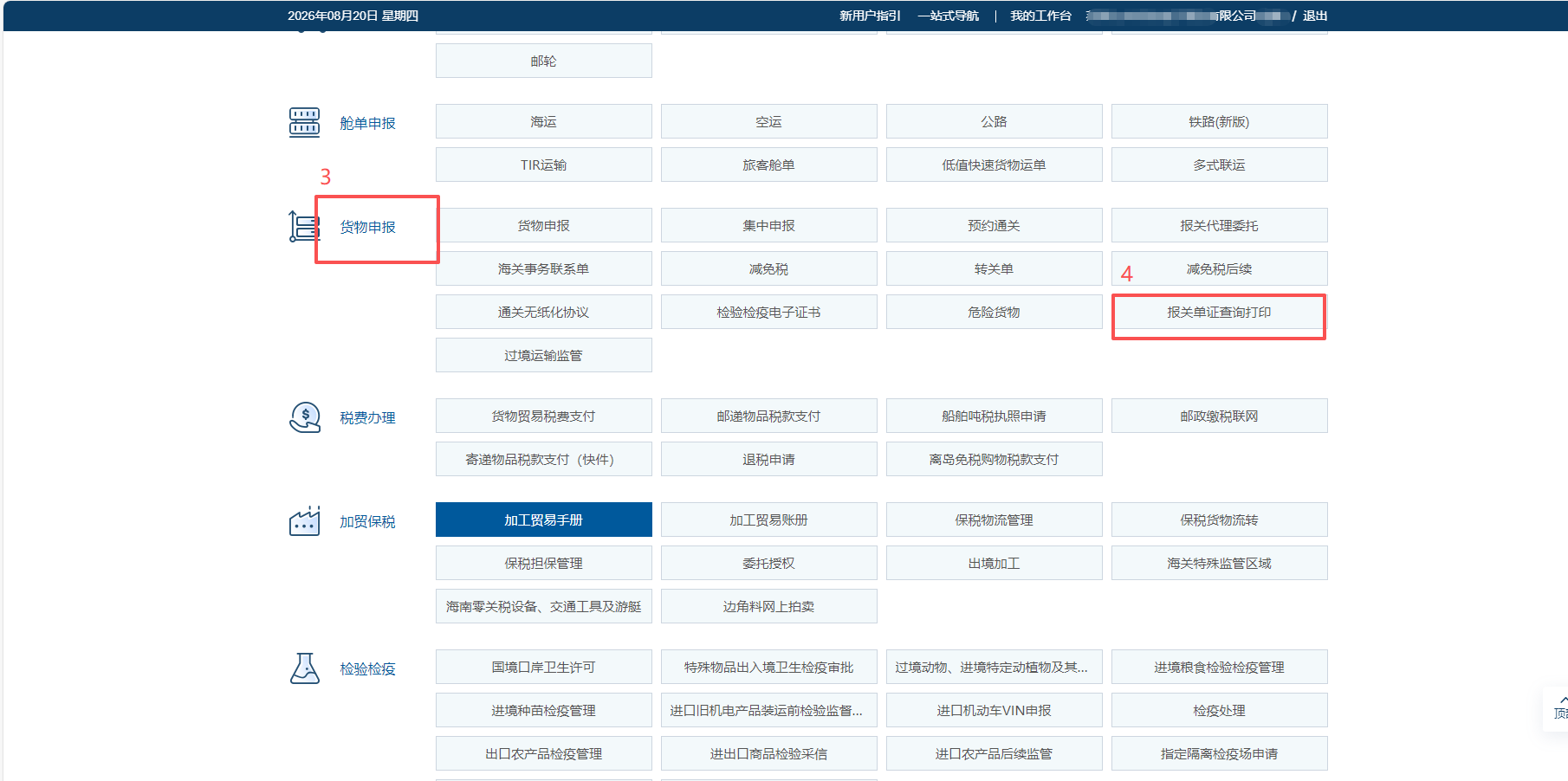
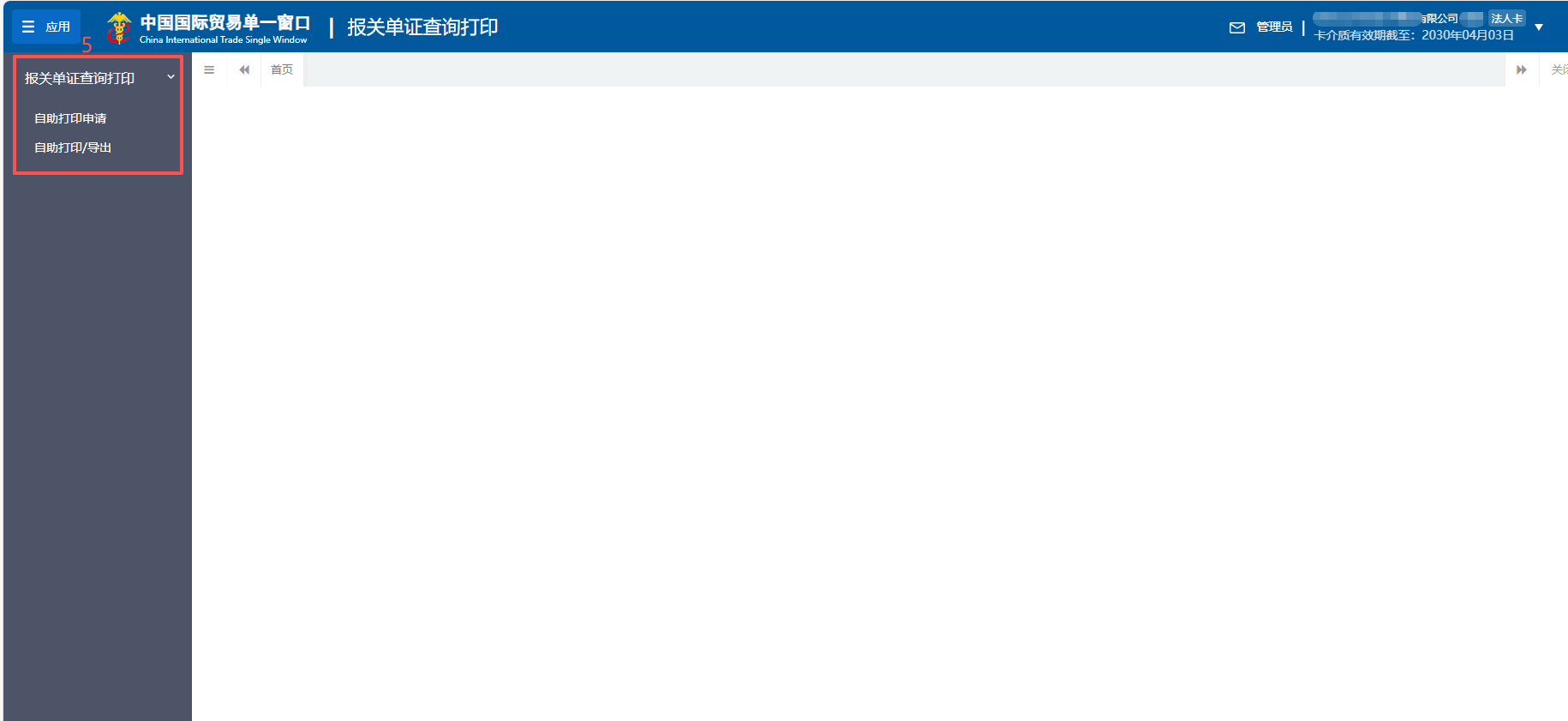
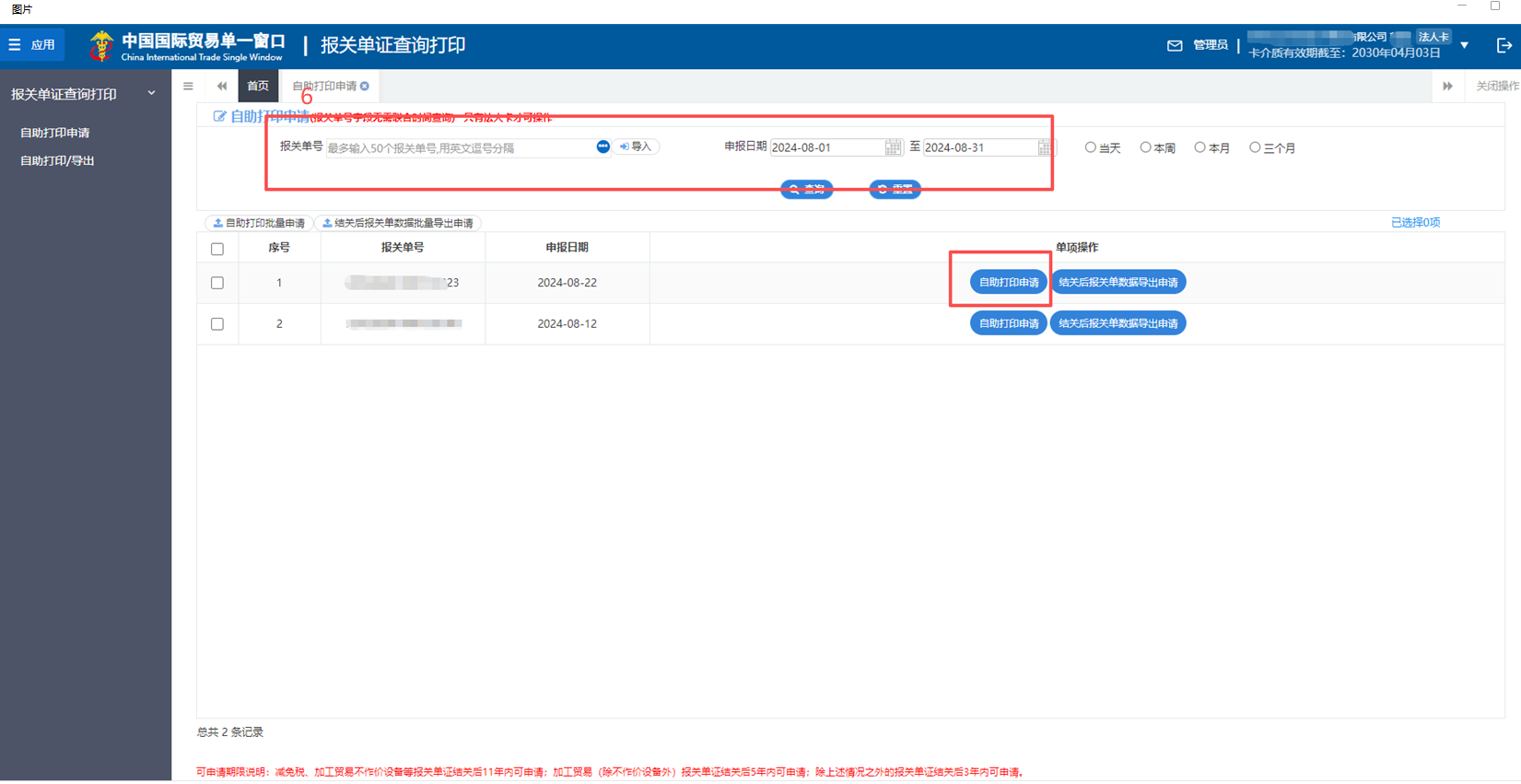
You can search in two ways:
- Enter the declaration number(s) (up to 50 at a time, separated by commas)
- Select a declaration date range (each range cannot exceed 3 months; for older periods, just search in segments)
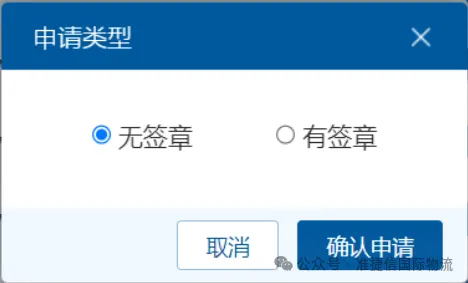
Select the declaration(s) you need, click “Submit Self-Service Printing Application”, and choose either the with-seal or without-seal version.
Once the application status shows “Generated”, you can print or export the document. The generated documents remain available online for one calendar month — after that, you’ll need to re-apply. We recommend downloading and saving them promptly.
If you choose the “with-seal” option, the printed declaration will bear the customs electronic stamp and the name of the declaring customs office. It carries the same legal validity as a declaration issued by the customs document archives department — acceptable for official business, audits, and tax rebate applications.
The system can also export declaration data in Excel format. However, this data is for internal business management purposes only and cannot be used as proof or evidence for external business activities. For external purposes, always use the with-seal printed version.
The following two categories of enterprises are temporarily unable to use the self-service function:
- Customs delinquent enterprises
- Declaration units whose registered address or contact information on file with customs cannot be located or reached
If you’re sure the declaration falls within the retention period but still can’t find it, verify the following points in order:
- Has it been cleared? (And has the next-day sync time passed?)
- Did you use the correct corporate legal person card?
- Is it still within the valid retention period?
If all checks pass and it’s still not found, you may apply for on-site access at the customs office where the declaration was filed.
The biggest value of this feature is simple: let data do the traveling, so businesses don’t have to. In the past, retrieving an old declaration might have meant a trip to customs and a waiting period for approval. Now, it’s done in just a few minutes with a few clicks.
- For important declarations, download the with-seal version and archive it promptly — don’t wait until the 30-day window expires and have to re-apply.
- Organize and archive your documents regularly each year, sorted by business type, to avoid missing the retention window.
- Processing trade and duty-reduction equipment documents have longer retention periods — create separate folders for them and don’t mix them with general trade files.
If you found this useful, share it with your fellow foreign-trade friends. Saving a trip to customs is money in the bank.
Post time: Aug-20-2026